If you live in a rural area of Colorado, you know the struggle of finding reliable internet. Traditional providers often don't reach out here, and if they do, speeds can be painfully slow. That's where Starlink comes in.
SpaceX's satellite internet service has been a game-changer for rural homes, farms, and businesses. But once that Starlink box arrives at your door, how do you get it set up for the best performance? Let's break it down.
What's in the Starlink Box?
When your Starlink kit arrives, you'll find:
- Dishy McFlatface — the satellite dish (officially called the Starlink antenna)
- Router — provides your WiFi network
- Power supply — powers both the dish and router
- Cable — connects the dish to the router (length varies by kit version)
- Base/mount — a basic stand for ground placement
The included stand works fine for testing, but for permanent installation, most people need a more robust mounting solution.
The DIY Approach: Is It Worth It?
Starlink is designed to be "plug and play," and technically, you can set it up yourself. Here's what that involves:
Basic Ground Setup (Easy):
- Place the dish on the included stand in your yard
- Plug in the cable and power
- Download the Starlink app and follow the prompts
- Wait for it to connect (usually 10-20 minutes)
Sounds simple, right? The problem is that a ground-mounted dish in your yard isn't ideal for most situations:
- Obstructions: Trees, buildings, and terrain can block the signal
- Weather: Snow, leaves, and debris accumulate on ground-level dishes
- Damage risk: Lawnmowers, kids, pets, and critters can cause problems
- Cable exposure: The cable running across your yard is vulnerable
Roof/Pole Mounting (Harder):
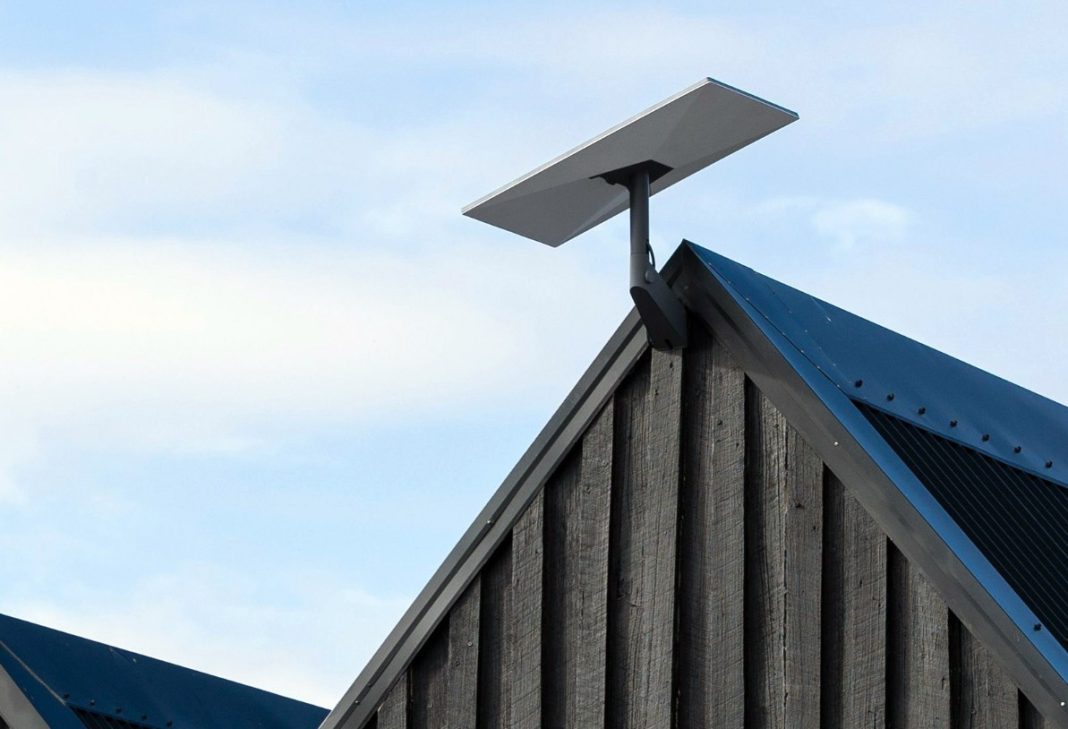
For best performance, you want your Starlink dish mounted high with a clear 100° view of the sky. This typically means:
- Climbing on your roof
- Drilling holes and properly sealing them to prevent leaks
- Securing the mount to rafters or using appropriate hardware
- Running the cable neatly into your home
- Potentially drilling through exterior walls
- Weatherproofing all entry points
This is where DIY gets tricky — and risky.
Common DIY Starlink Installation Mistakes
We've seen plenty of self-installed Starlink setups that needed fixing:
- Leaky roof penetrations — improper sealing leads to water damage
- Inadequate mounting — dishes that blow off in Colorado wind
- Poor cable routing — cables exposed to UV damage or chewed by animals
- Bad placement — dishes installed where trees or structures cause intermittent outages
- Messy interior runs — cables dangling through windows or across floors
Why Professional Installation Makes Sense
Hiring a pro for your Starlink installation offers several advantages:
1. Optimal Placement We use the Starlink app's obstruction tool to find the perfect spot before we drill a single hole. This ensures you get the best possible signal with minimal dropouts.
2. Secure, Weatherproof Mounting Whether it's a roof mount, pole mount, or wall mount, we secure your dish properly and seal all penetrations to prevent leaks and wind damage.
3. Clean Cable Routing We run your Starlink cable neatly — through walls, along eaves, or underground — so it's protected from weather, UV exposure, and critters. No cables through windows or draped across your siding.
4. Professional Finish Your installation will look like it belongs there, not like an afterthought. We take pride in clean work.
5. Safety Roof work is dangerous. We have the equipment and experience to do it safely.
6. Time Savings What might take you an entire weekend (plus trips to the hardware store) takes us a few hours.
Starlink for Businesses and Farms
Starlink isn't just for homes. We've installed systems for:
- Farms and ranches — internet in remote barns and outbuildings
- Small businesses — reliable backup or primary internet
- Home offices — work-from-home professionals who need stable video calls
- Vacation properties — cabins and getaways that were previously off-grid
For larger properties, we can also help extend your Starlink connection to multiple buildings using outdoor ethernet runs or point-to-point wireless links.
Our Starlink Installation Service
At Finally Fixed Home Services, we offer professional Starlink Installation for customer-owned equipment. Here's what's included:
- Site assessment and optimal placement planning
- Roof, pole, or wall mounting with proper hardware
- Weatherproof cable routing into your home
- Router setup and WiFi configuration
- Testing and verification of speeds and signal quality
We don't sell Starlink kits — you'll order yours directly from starlink.com. Once it arrives, give us a call and we'll handle the rest.
Ready to Get Connected?
If you're in the Aurora, Bennett, Strasburg, or surrounding Colorado area and have a Starlink kit waiting to be installed, we'd love to help. Professional installation means better performance, cleaner results, and peace of mind.
Contact us or call/text 720-933-3501 to schedule your Starlink installation.
Independent installer. Not affiliated with or endorsed by Starlink or SpaceX.
Related Posts: